
Advance Stamp
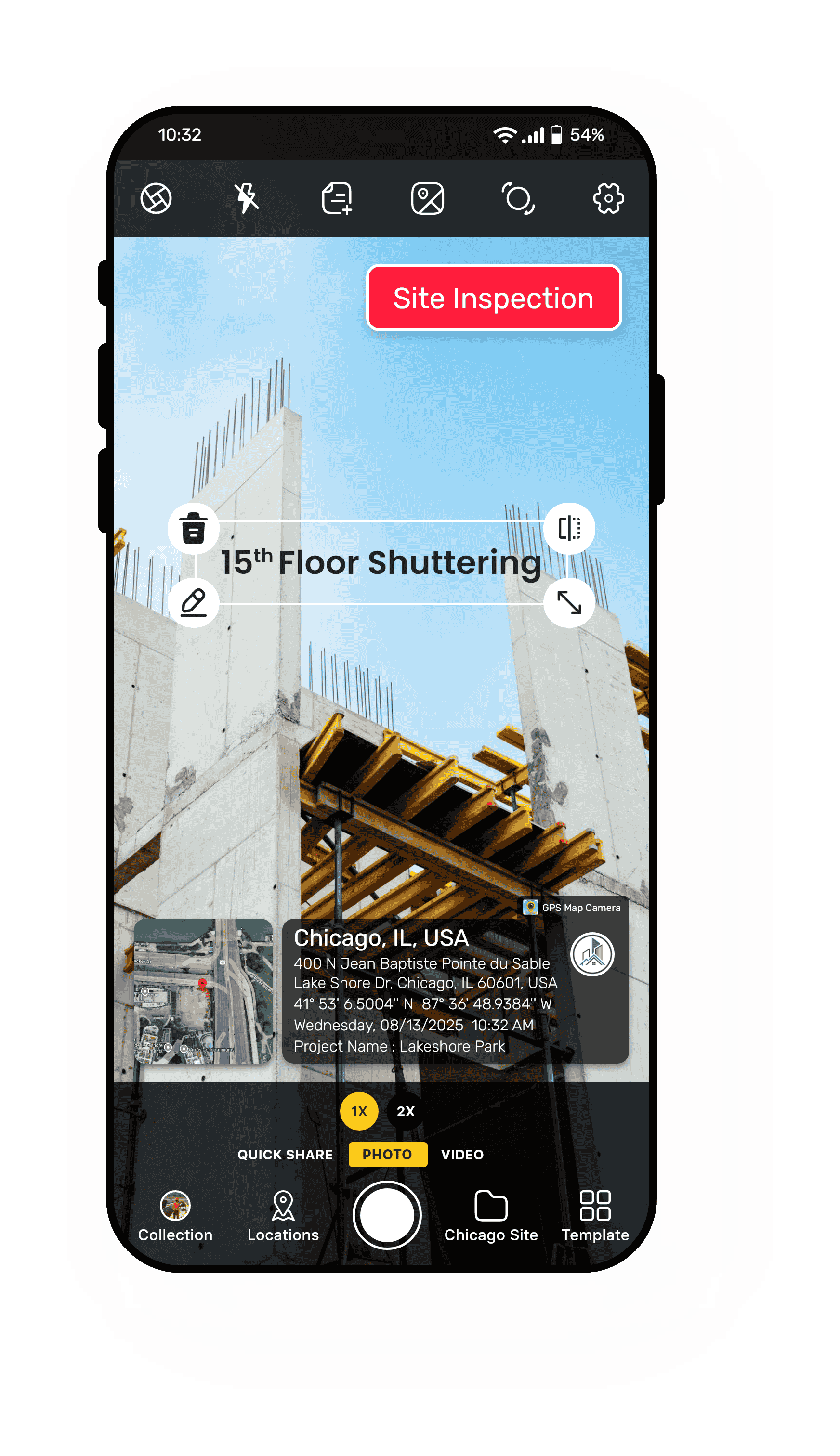
Sometimes a photo needs a little extra explanation or a special note; that's where the Add Text stamp comes in. GPS Map Camera lets you stamp custom text directly onto your images, so you can add details, reminders, or context without extra effort. Whether it's a project name, an important note, or a quick hashtag, your photos speak louder and clearer.
Why Adding Text on Photos Matters:
- Share Important Info — Add details that tell the story behind the photo.
- Make Things Clear — Help others understand what the photo shows.
- Use Anywhere — Perfect for work reports, travel memories, or event pictures.
- Easy to Use — Pick your words, choose where to put them, and make your photo look just right.
From field reports to travel stories, adding your own text helps you communicate exactly what matters — directly on the photo itself.
DateTime Stamp
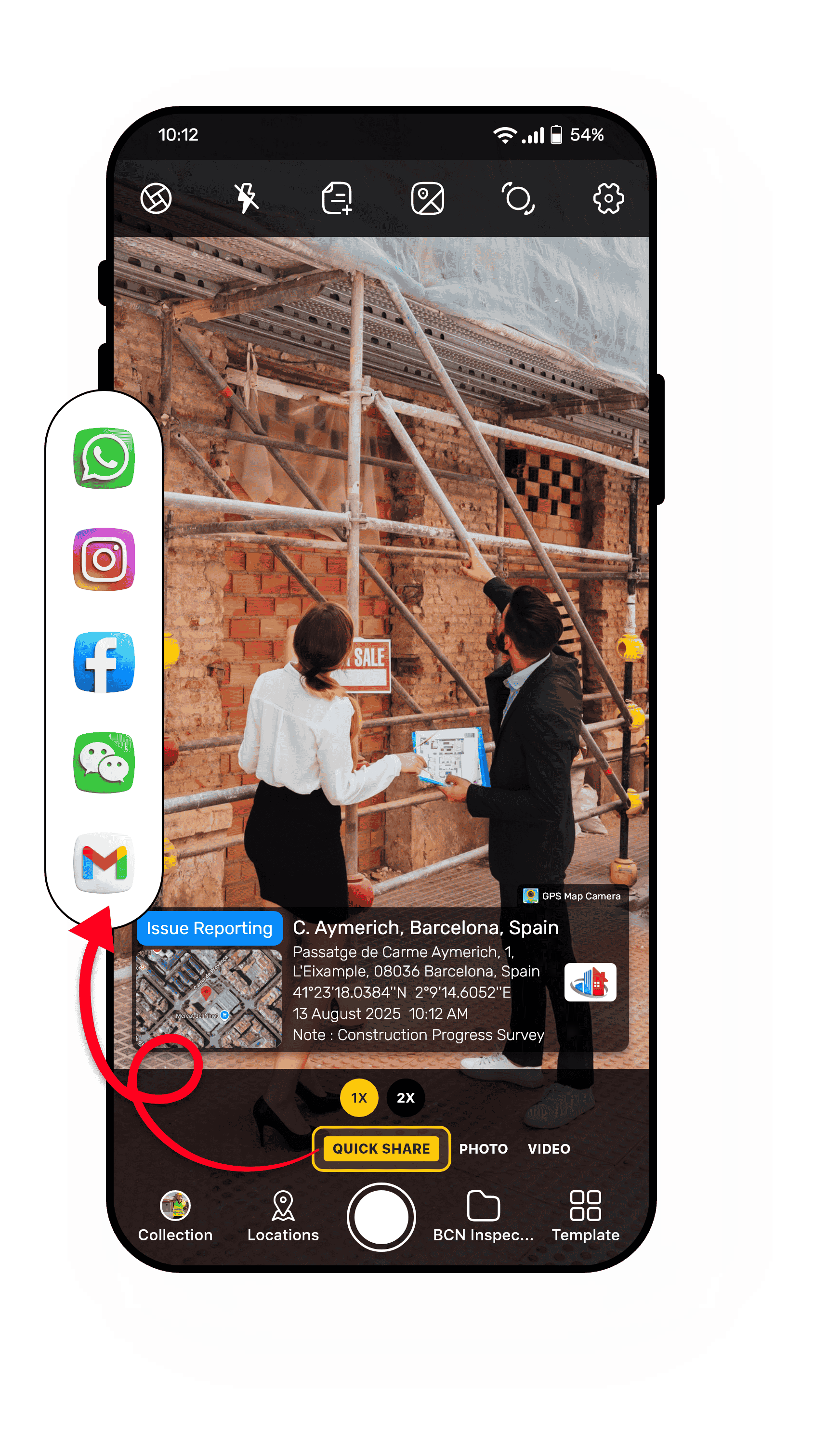
With our Quick Share stamp, every stamped photo you take can be sent along with an embedded Google Maps location link. This means that when someone receives your photo, they can click the link and see the exact spot where it was taken on the map.
Why Quick Share is a Game-Changer:
- Instant Proof — Send your client, colleague, or friend a photo they can verify in seconds.
- Google Maps Integration — One click opens the exact location in Google Maps.
- Perfect for Work & Travel — Whether confirming a site inspection or sharing a travel spot, the location proof is clear.
- No Extra Steps — The link is automatically generated and attached to your stamped image for effortless sharing.


Scan Location Stamp
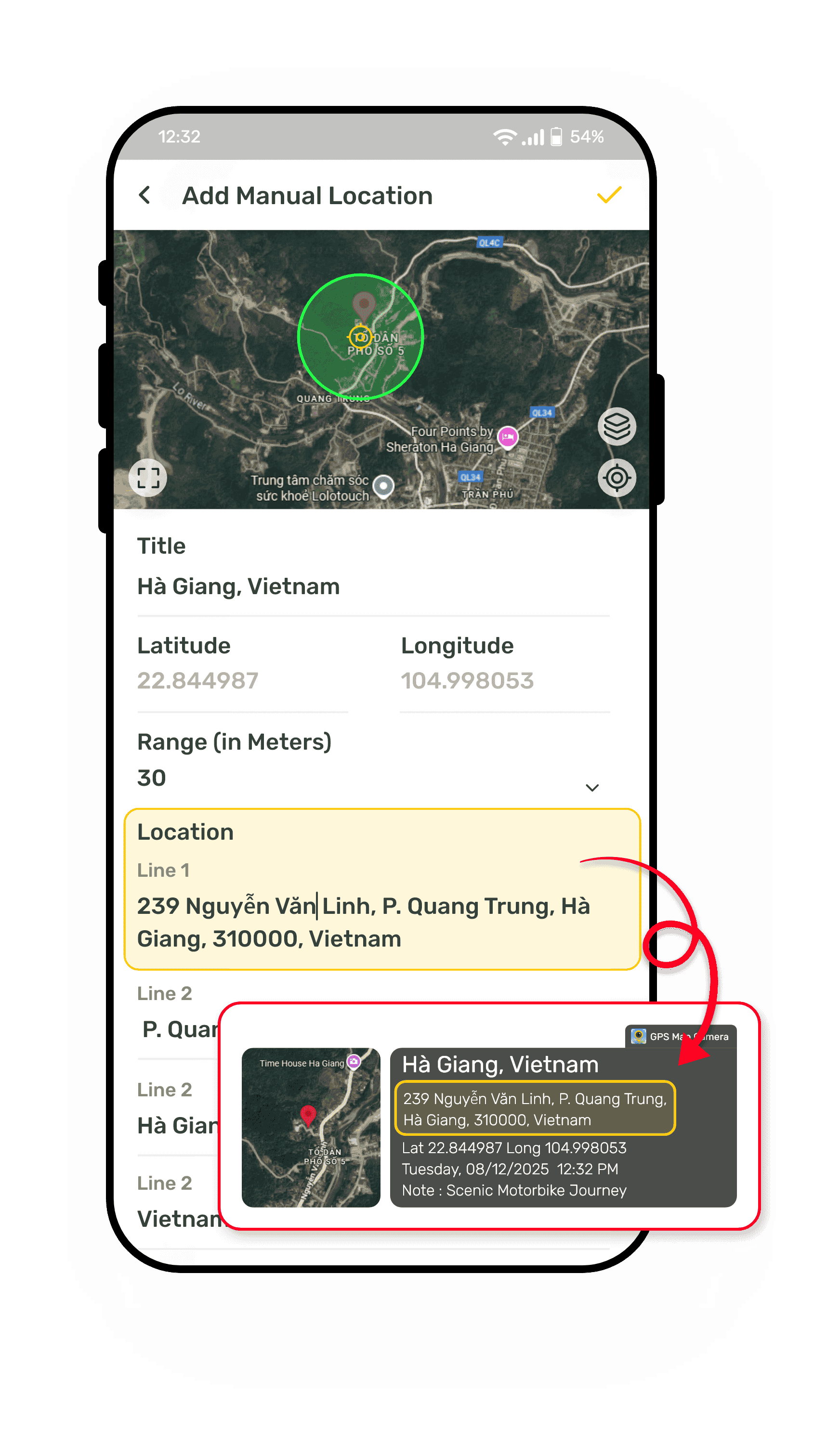
Manually name the location on your photos to match the exact place you want to show. This helps keep your photo records accurate and meaningful for work, travel, or personal use. Whether it's for project documentation or sharing memories, you control what place appears. Manual location ensures every photo location tells the right story.
Why Manual Location Is Useful:
- Fix Location Errors — Correct the spot if the GPS is off.
- Show Important Places — Add locations for nearby or related sites.
- Keep Records Clear — Make sure your photos have the right place for reports or proof.
- Simple to Use — Pick a nearby location on the map, and it appears on your photo.
Take control of your photo's location to make your images accurate and reliable every time.
Classic Stamp
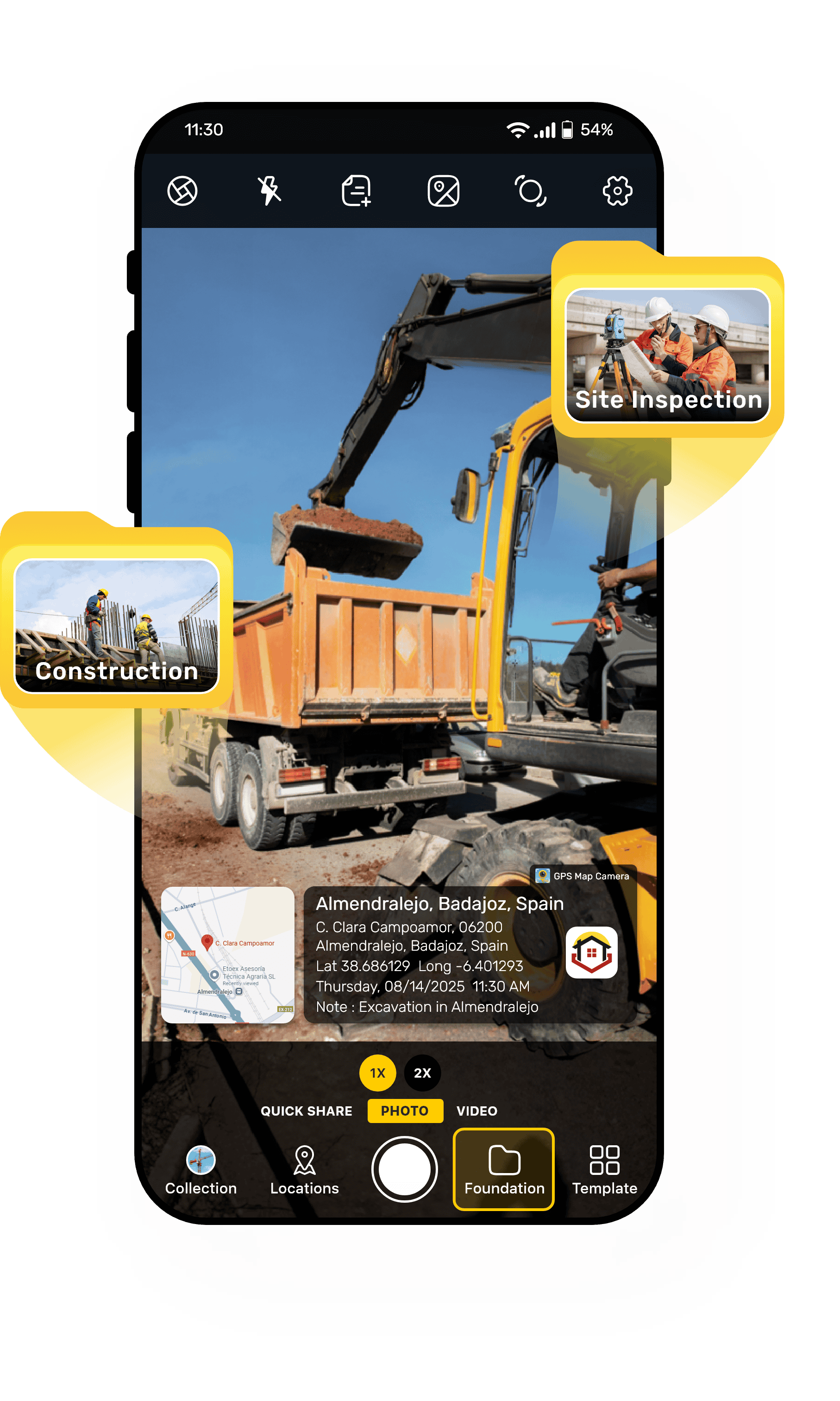
Save your photos automatically into the folder you choose, keeping everything organized from the moment you capture them. This stamp helps you separate work, travel, and personal images so nothing gets mixed up. It's perfect for professionals who need neat records and for anyone who wants a clean, easy-to-navigate gallery.
Why Select Folder Matters:
- Stay Organized — No more digging through mixed-up photos.
- Save Time — Photos go straight to the folder you want.
- Perfect for Professionals — Keep project photos neat and easy to find.
- Simple Setup — Just pick your folder, and the app does the rest.
a cleaner photo gallery where everything is in the right place from the start.
Reporting Stamp
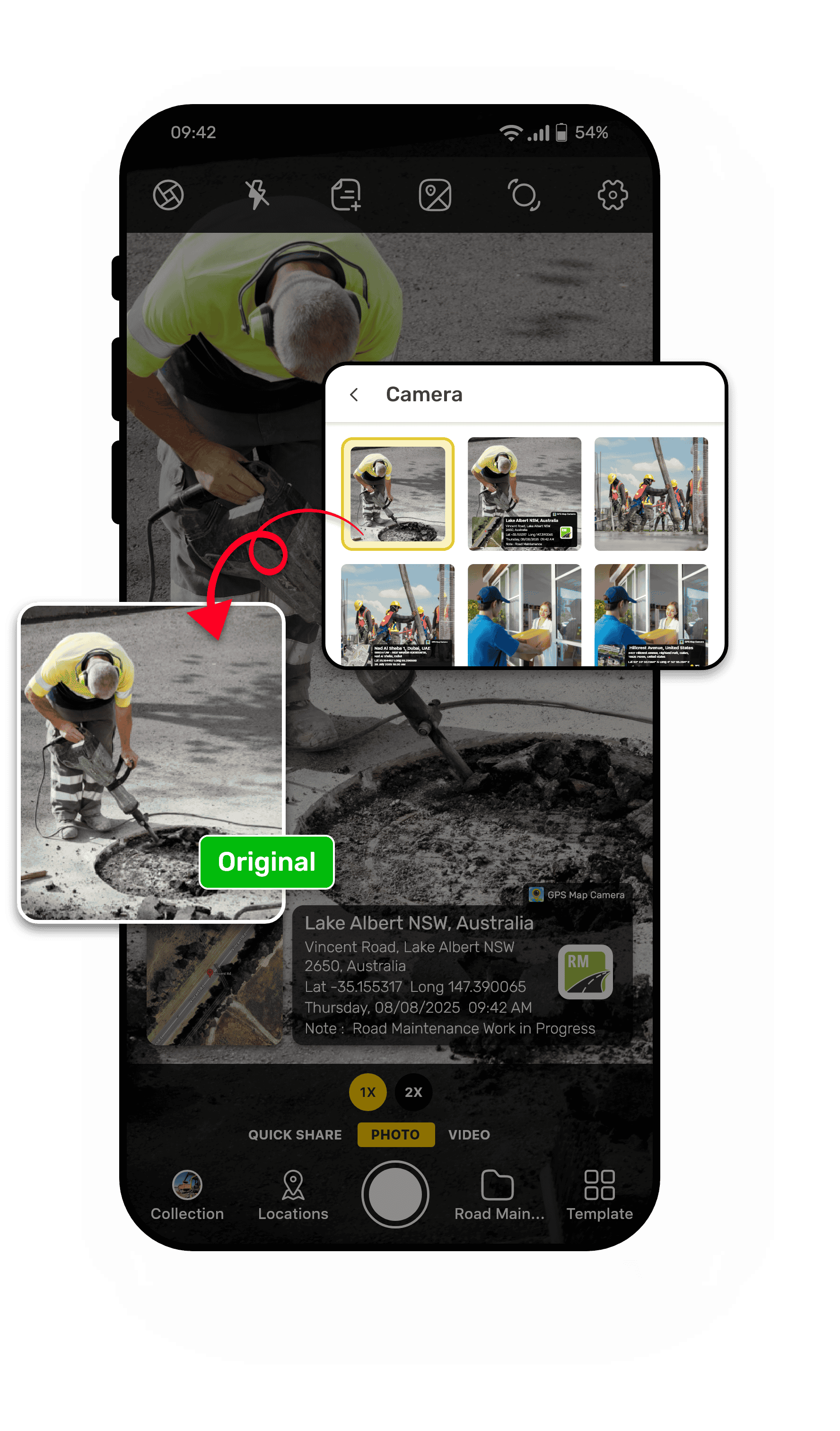
Sometimes you need the authenticity of a stamped photo, and sometimes you need the clean, original image. With GPS Map Camera's Save Original Photo stamp, you don't have to choose—you get both automatically. No need to take the same shot twice; both photos are saved instantly.
Whether you're documenting a project site, capturing memories, or preparing marketing materials, Save Original Photo ensures you never lose the raw image while still delivering full authenticity when needed.
One click, two photos—proof and perfection in the same moment.
Navigation Compass Stamp
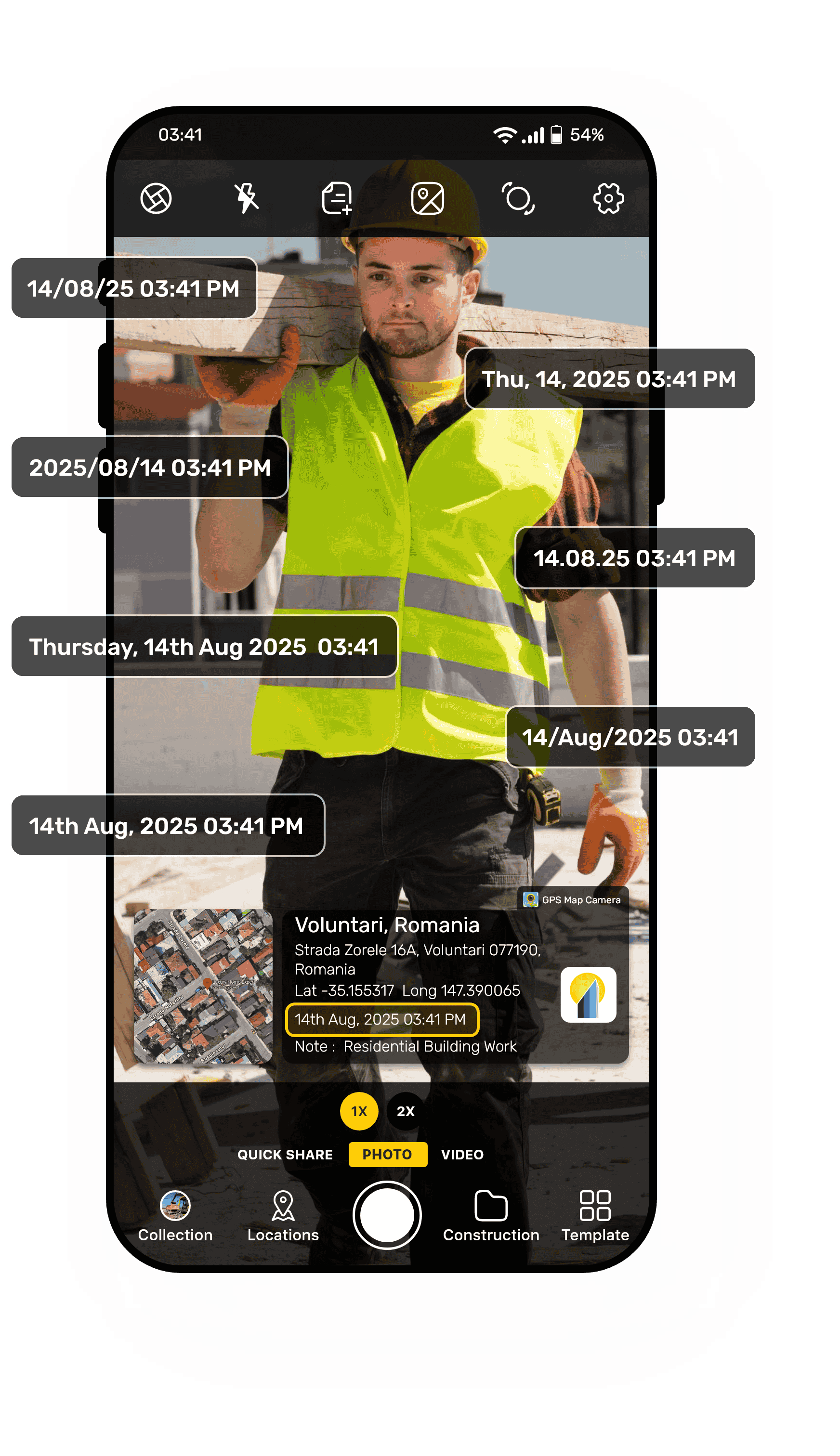
Not all photos are for the same purpose, and neither is the date and time format. GPS Map Camera gives you the flexibility to choose from multiple date and time formats so your stamped images match your style, documentation requirements, or regional standards.
When you enable the Date & Time stamp, you can:
- Select from various display styles — from compact numeric formats (DD/MM/YYYY) to full-text styles (Monday, 12 August 2025).
- Show time in 12-hour or 24-hour format.
- Include time zones (GMT, UTC) for global accuracy.
- Match international or local formatting standards for reports, documents, or personal use.
Why Multiple Date & Time Formats Matter:
- Professional Compliance — Use formats required for legal or corporate documentation.
- Global Sharing — Adapt stamps for international audiences without confusion.
- Personal Style — Choose a look that fits your image's theme or design.
Whether you're filing a report, submitting project photos, or sharing a travel memory, the right date and time format ensures your image is clear, professional, and easy to verify.
Because every moment deserves to be recorded your way.